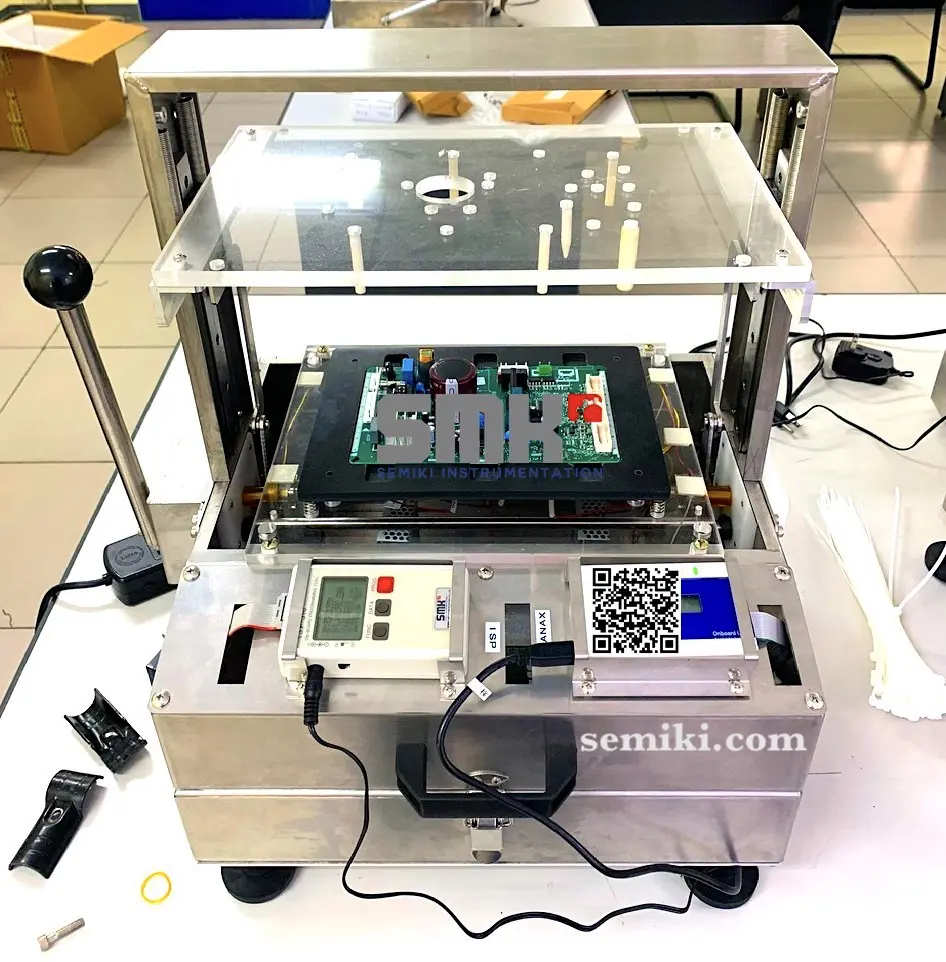
A chip programmer (also known as a device programmer or ROM programmer) is a specialized electronic tool used to write, erase, and verify data onto programmable integrated circuits (ICs) with immutable memory.
Common types of programmable chips include:
Memory types: PROM, EPROM, EEPROM, Flash Memory.
Microcontrollers
Programmable logic arrays (PLDs) such as CPLDs and FPGAs.
Uses and how it works
Record and update firmwareThis device is used to load embedded software (firmware) onto the chip, enabling the chip to perform specific functions as designed.
Design and manufactureIn electronics manufacturing plants, chip programming equipment is an essential tool for mass programming of ICs for products such as household appliances, industrial control systems, and consumer electronics.
Repair and researchTechnicians use a chip programmer to replace or repair faulty ROM on computer motherboards, TVs, or other electronic devices.
Computer programmingA chip programmer is typically connected to a computer via a USB port or LAN network. Specialized software is used to select the chip type, send data from the computer to the programmer, and begin the programming process.
Chip programming methods
Off-board chargingThe technician removes the chip from the circuit board, plugs it into the socket on the programmer, and proceeds with programming.
In-circuit programming (ICP/ISP)This is a method of programming directly on the circuit board without removing the chip. The programmer connects to a special connector on the circuit board to perform the programming.
Classification of chip programming devices
Universal programmerSupports programming various types of chips, suitable for research and small-scale production.
Specialized programmer: Used only for programming a specific type of chip (e.g., EPROM memory chip programmer).
Gang programmerIt has multiple sockets, allowing for the loading of multiple chips simultaneously, suitable for mass production.
Pocket programmerCompact and portable design, suitable for field use.
The way to use a chip programmer will vary depending on the type of machine and chip, but the basic process usually includes the following steps.
1. Preparation
Install software and drivers.Connect the charging device to the computer and install the control software along with the corresponding driver.
Prepare the data file.The file containing the data to be loaded is usually in .bin or .hex format, created from source code or backed up from another chip.
Remove the chip (if necessary).For off-board programming, you need to carefully remove the chip from the circuit board to avoid damaging the chip pins and the board itself.
2. Software settings
Connect the deviceOpen the software and ensure the charging device is connected and recognized by the computer.
Choose the type of chipIn the software, select the correct manufacturer and part number of the chip to be programmed. The software will display the detailed information of the chip.
Download data fileLoad the .bin or .hex file you prepared into the software.
3. Chip loading
Insert the chip into the programming base.Insert the chip into the socket on the programmer. Pay attention to the orientation of the chip to match the markings on the socket (usually a dot or a semicircle) to avoid inserting it incorrectly and damaging the chip.
Erase the chip.With writable chips, you need to erase the old data before loading new data.
Write/Program dataPress the “write” or “program” button on the software to begin the process of loading data into the chip.
VerifyAfter writing is complete, execute the "verify" command to compare the data just written to the chip with the original data file on the computer. If there are no errors, the programming process was successful.
4. Conclusion
Remove the chip and test it.Remove the chip from its socket, reinsert it into the motherboard, and check if the device is working as expected.
Some notes
Read the user manual.Each type of charger may have a different interface and steps, so always read the manufacturer's instructions carefully.
Be careful with sensitive chips.Anti-static measures are necessary when handling chips and circuit boards.
Test the chip before programming.Some device malfunctions may not be due to the memory chip. Thorough testing is necessary before deciding to replace the chip.
To contact Semiki Company for consultation and product supply of chip programming machines, you can use the information below:
 English
  Vietnamese
  Japanese
  Korean